How to Change World Seed on a Minecraft Server
Altering the Minecraft world seed creates a new world featuring new terrain, biomes, and structures. Changing the world seed for an existing save provides a fun opportunity for players who have depleted their current world's resources or completed their desired constructions.
1. Log in to the Avenhost Panel
Access your account at games.aven.host and select the server you wish to modify.
2. Stop the Server
Before making any changes to the world files or configuration, ensure your server is completely stopped to prevent data corruption.
3. Edit Server Properties
Select the Files tab, then navigate to Config Files and choose Server Properties.
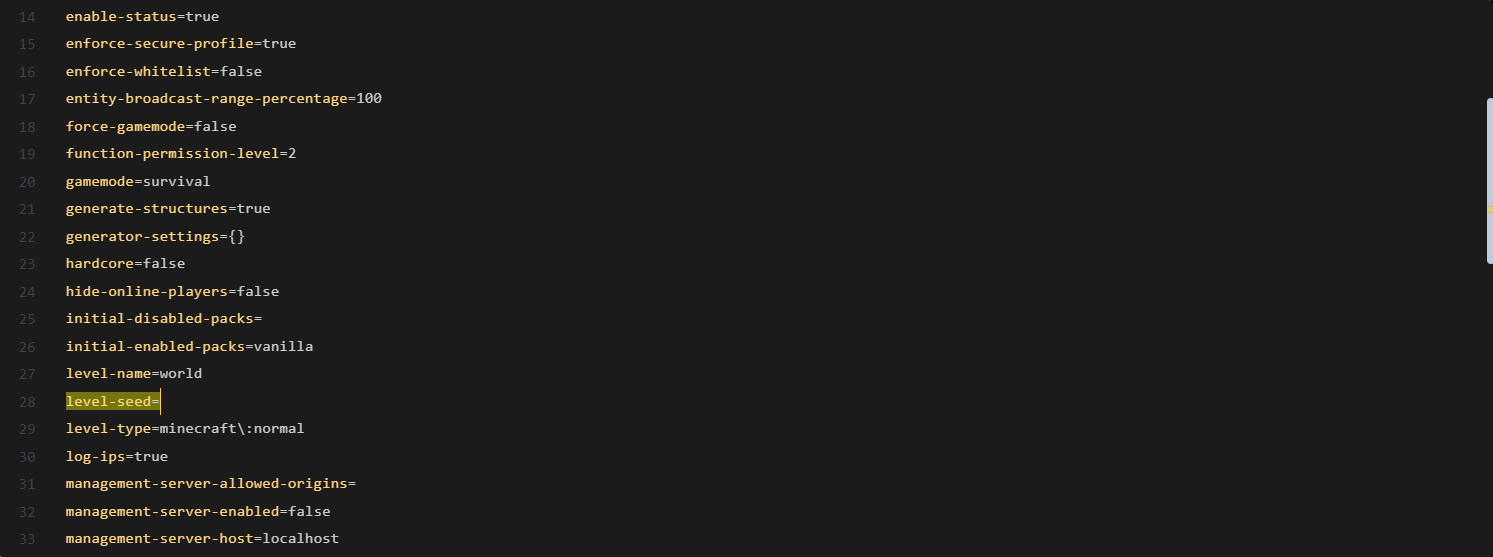
4. Input the Seed
Locate the Seed field and input your desired seed code. This will dictate the generation of the new map.
5. Change the Level Name
In the Level Name section, input a new name (e.g., world_2). This is necessary because the server will generate a fresh world folder to apply the new seed.
6. Start the Server
Save the changes and start your server. Your new world will begin generating immediately!