How to Change Minecraft's Version/Eggs
Switching your Minecraft version or server software (Eggs) is a simple process using our built-in Version Changer. This allows you to jump between Paper, Forge, Fabric, and more with just a few clicks.
Step 1: Locate the Sidebar
Log in to your server at games.aven.host. On the left-hand side, you will see your main navigation menu.
Step 2: Navigate to More
Scroll down or look for the More option in the sidebar. Click it to expand the additional management tools.
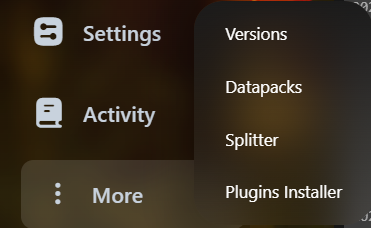
Step 3: Open Version Changer
From the expanded menu, select the Version Changer tool. This will open the software selection interface.
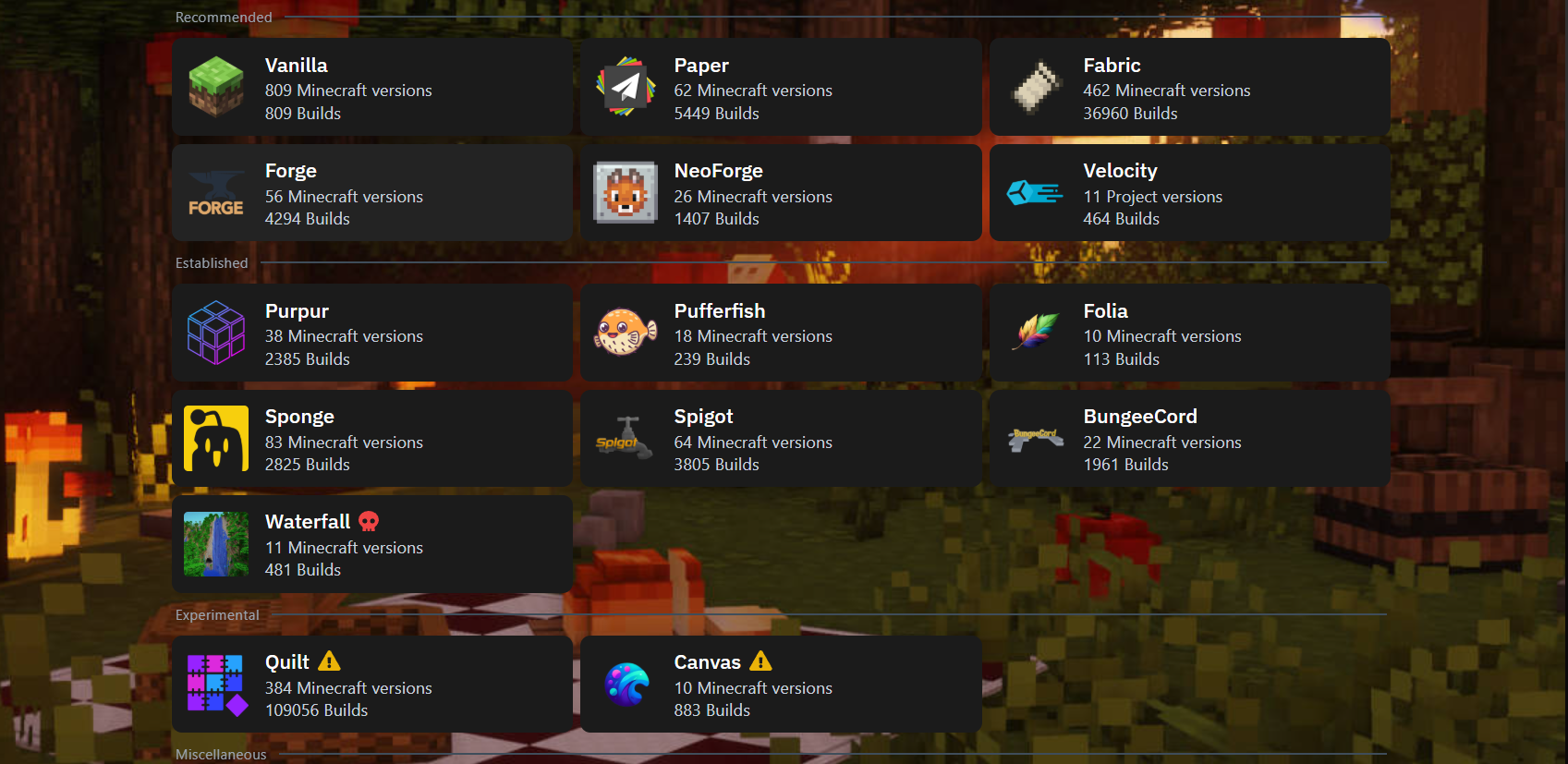
Step 4: Select and Wipe
Select any version or build you want (e.g., Paper 1.20.4 or Forge 1.20.1). To ensure a clean installation and avoid file conflicts, click on Wipe Server Files.
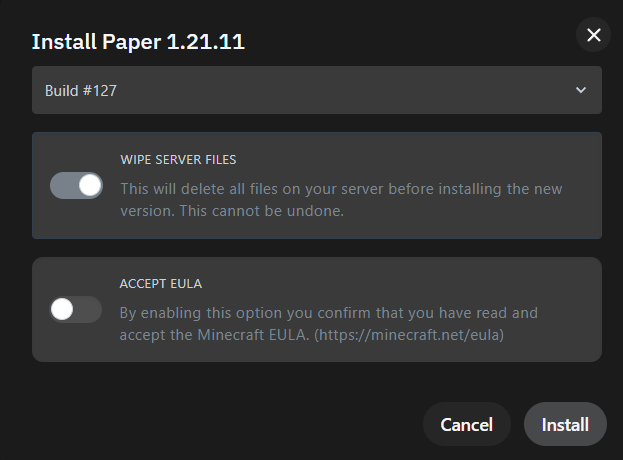
That's it! Your server will now install the new version and reboot automatically.